
















Table of Contents
- • Skylight Review Summary
- • About Skylight
- • Other opinions about Skylight
- • Skylight Overview
- • Skylight Review
- • Skylight Frame Review
- • Skylight Calendar Review
- • Skylight Calendar Max Review
- • Skylight Pros & Cons
- • Return Policy
- • Shipping and Delivery Information
- • Skylight Contact Information
- • Where to buy Skylight?
- • Conclusion of Skylight reviews & ratings
Skylight Review Summary
Skylight is a family-oriented technology brand specializing in touchscreen digital calendars and picture frames that integrate scheduling, chores, and photo sharing. It generally performs well in providing a connected family organizer with intuitive features and extensive app support. While it offers strong usability and interactive tools, some limitations include a required subscription for premium features and restricted syncing mostly to Google Calendar.
Highlights
- Designed for busy families needing centralized household management
- Offers digital picture frames and smart calendar devices with chore and meal planning
- Subscription fees and limited calendar integration may restrict some users
- Balanced solution scoring 4.2/5 for usability and feature set
Within the broader digital family organizer category, Skylight provides a practical ecosystem focused on touchscreen usability and automated event creation. Alternatives exist that may offer different pricing or syncing options. For a detailed appraisal, see the Skylight review.
About Skylight
Managing busy family schedules often leads to missed appointments and stressful communication. Traditional calendars and paper planners can be static and hard to update for everyone involved. Parents and caregivers looking for an easier way to organize chores, meals, and events frequently face these challenges.
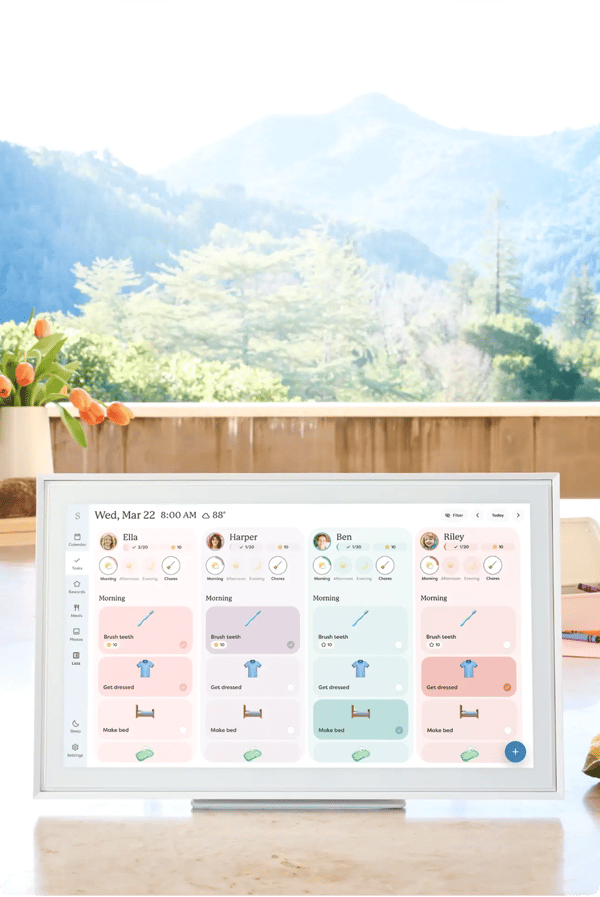
Skylight is a technology company that creates touchscreen digital picture frames and smart calendars designed for family organization. Its devices integrate with cloud services and mobile apps to provide real-time syncing and chore management. Skylight sits within the consumer electronics sector, focusing on digital family calendar and photo sharing solutions.
The brand is recognized by over one million families worldwide and has been featured by notable media outlets like Wirecutter and TODAY. User ratings average 4.8 stars, highlighting easy setup and helpful features like the Magic Import for automating event creation. Customer feedback also notes its practical design and responsive support.
Skylight suits families seeking an integrated digital solution for managing schedules and photos but requires a paid subscription for most premium features. Its full syncing functionality currently favors Google Calendar, which may limit broader calendar integration. To learn more and evaluate if it fits your household, see the Skylight review.
Other opinions about Skylight
Opinions and insights gathered from trusted review articles and authoritative websites covering Skylight.
Skylight Overview
Skylight is a technology company based in the United States that specializes in manufacturing touchscreen digital picture frames and WiFi-connected smart calendars designed for family organization. Its product line includes devices such as digital frames and smart calendars that integrate with cloud services and mobile applications for remote management. The company operates primarily through direct-to-consumer sales on its official website and selective third-party marketplaces like Amazon, Costco, and Sam's Club.
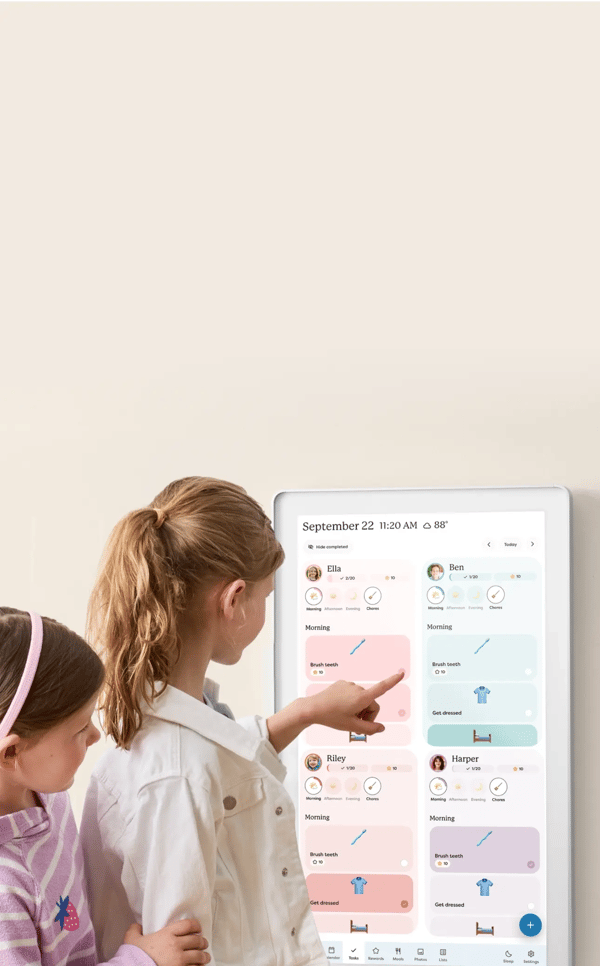
The core of Skylight's operation involves providing hardware devices integrated with a cloud-based ecosystem that allows real-time syncing and remote calendar management via its mobile app. The devices support family coordination through features like shared schedules, chore tracking, and photo sharing, focusing on small to large households mainly in the US, UK, Canada, and Australia. Subscription-based services extend the functionality of its hardware products, offering premium capabilities under an annual plan.
Within the technology sector, Skylight occupies a niche role by bridging hardware and software to deliver family-centric digital organization tools. Its development emphasizes touchscreen usability, software updates, and integration predominantly with Google Calendar, alongside features like automatic event creation. This structural approach supports over a million families worldwide, reflecting ongoing product and platform enhancements to address household scheduling and communication needs.
Skylight Review
Skylight is a brand focused on creating touchscreen devices that help families stay organized and connected. Their products combine calendar management, chore tracking, meal planning, and photo sharing into integrated digital solutions. This approach aims to simplify household communication and daily coordination for busy families. Skylight supports remote management through mobile apps and cloud services.
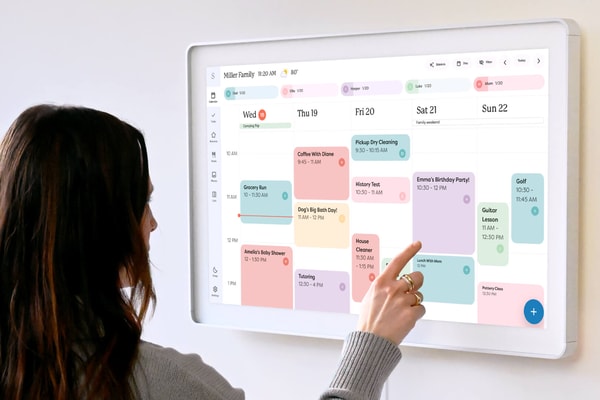
The brand offers a range of digital picture frames and smart calendar devices with features designed for family use. Their ecosystem includes devices with interactive touchscreens, real-time syncing, and automation tools like Magic Import. Skylight positions itself in the mid-to-premium segment, emphasizing ease of use and comprehensive family organization solutions. Regular software updates ensure ongoing improvements and new capabilities.
Skylight Highlights- Intuitive touchscreen interface
- Magic Import for event automation
- Interactive chore and reward system
- Remote photo sharing
- Frequent software updates
Skylight Frame Review
The Skylight Frame features a 10-inch touchscreen display that enables families and remote relatives to share photos easily. It supports common photo formats such as JPEG, BMP, PNG, and GIF with offline viewing capability.

This digital picture frame offers a resolution of 1280x800 IPS and includes 8GB of internal storage. It is positioned in the mid-tier segment, providing essential features for photo sharing and touchscreen interaction.
Available for purchase via the official website and selected retailers, the product is priced at $119.99 and ships with a US plug. It is designed for quick setup and user-friendly photo sharing access.
Price $119 • myskylight.com
Skylight Calendar Review
The Skylight Calendar is a 15-inch WiFi-connected smart calendar designed for busy families to coordinate schedules, chores, and meal planning. It integrates with a mobile app for convenient remote management.
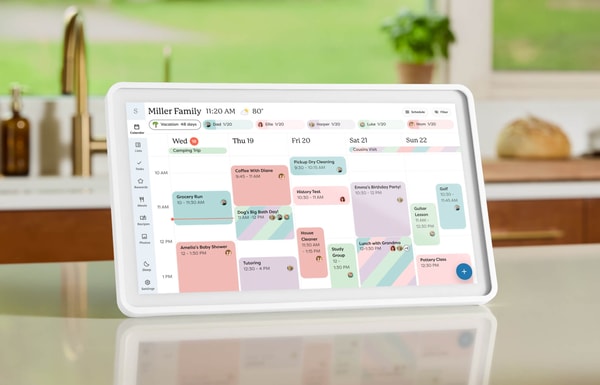
This mid-premium device features a Full HD 1920x1080 display and 16GB of storage. Key functionalities include color-coded family calendars, task management, Magic Import for email event creation, and parental controls.
Priced at $259.99 with an optional subscription, it ships quickly and includes a US plug. The calendar supports centralized family planning with an easy-to-use touchscreen interface suitable for household organization.
Price $259.99 • myskylight.com
Skylight Calendar Max Review
The Skylight Calendar Max features a 27-inch smart touchscreen designed to serve as a family command center. It offers multitasking capabilities such as chore rewards, meal planning, and a photo screensaver function.
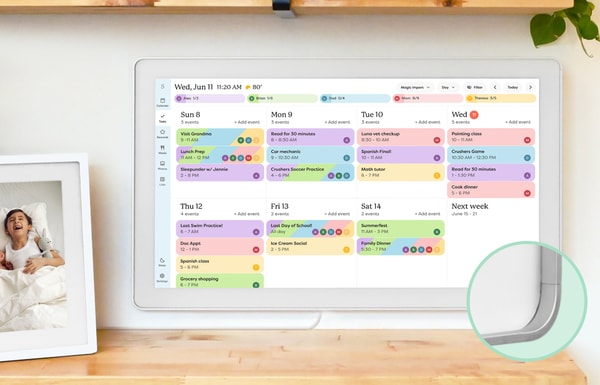
This premium-tier calendar includes a 2560x1440 HD touchscreen, 32GB of storage, and dual speakers. It also supports AI-generated menus, Magic Import for event creation, and linking across multiple devices, making it suitable for larger households.
Priced at $599.99, the device comes with a wall mount and is equipped with a US plug. It aims to provide comprehensive family organization through an interactive, large-format interface.
Price $599.99 • myskylight.com
Skylight Pros & Cons
Skylight devices offer an intuitive and user-friendly experience with touchscreen displays that make setup and usage easy for users of all ages. They provide a comprehensive feature set including chore rewards, meal planning, fast photo sharing, and automation through Magic Import, supported by a mobile app that allows remote management and parental controls. The availability of multi-device linking enhances family coordination, while a 4-month free return policy adds confidence for buyers.
Despite these strengths, Skylight products require a premium subscription for most advanced features, which adds to the overall cost. The devices depend on Wi-Fi for syncing and updates, and syncing support beyond Google Calendar is limited. Additionally, the hardware comes with US-style plugs only, with no international adapters included, and desktop app support is still limited, having been introduced only recently. These factors may influence suitability depending on user needs and location.
- • Easy setup and use
- • Rich feature set including chore rewards and meal planning
- • Fast photo sharing and Magic Import automation
- • 4-month free returns
- • Mobile app for remote management
- • Parental lock and multi-device linking
- • User-friendly touchscreen displays
- • Premium subscription required for advanced features
- • Limited syncing support beyond Google Calendar
- • Dependent on Wi-Fi for updates
- • Relatively high combined hardware and subscription cost
- • US plugs only, no international adapter included
- • Limited desktop app support
Return Policy
Skylight provides a 4-month free return policy that allows customers to return devices without any questions asked. This extended period offers sufficient time for users to evaluate the product. Returns can be made up to 120 days from the date of purchase. No restocking fees are applied for returned items.
The device must be in an acceptable condition for the return to be processed. Detailed return conditions and policies are managed through Skylight's customer service. Specific exclusions or additional conditions are not clearly documented in the available policy information.
Shipping and Delivery Information
Skylight ships its devices primarily within the United States using physical shipping methods. The specifics of the shipping carriers and delivery services are not provided in the available information. Devices are shipped with US-style power plugs, which may require adapters for international use that are not included.
Orders typically process within 1-2 business days. No detailed information about tracking availability or shipping costs is specified. The lack of international power adapters is an important consideration for customers outside the US.
Skylight Contact Information
Skylight customer support is available through several channels including email and phone. Users can reach out for assistance related to orders, shipping, returns, billing, warranty, and technical issues.
- Email: [email protected]
- Phone: +14152336761
- Social media: Facebook, Instagram, TikTok, and X
Customers are encouraged to contact support for any questions or concerns. Support is claimed to be available 24/7, with typical response times within one week.
Where to buy Skylight?
Skylight products are officially available through the brand’s website, providing a reliable purchasing experience due to integrated account management, accessible customer support, and clear return policies. Buyers can expect timely shipping and straightforward service directly from the company. While the official channel ensures consistent product quality and policy transparency, buying from third-party marketplaces like Amazon may involve variations in availability, fulfillment, and customer service reliability. More details can be found on myskylight.com for those considering these options.
Conclusion of Skylight reviews & ratings
Skylight holds a valuable place in the family organization category by offering intuitive touchscreen devices that combine photo sharing and schedule management. Its strengths include seamless Google Calendar syncing, interactive chore tracking, and the Magic Import feature. Many can explore these capabilities further through myskylight.com as a reliable source for detailed information.
Those interested in learning more can feel comfortable revisiting this Skylight review for balanced insights. It presents the product’s practical aspects without exaggeration, helping readers make informed considerations about how it fits their family’s needs over time.
Editorial notes reflect aggregated buyer feedback and our independent editorial review of publicly available information. They are for informational purposes only and do not constitute endorsements. Purchases are made at your own discretion, and we are not responsible for transactions or outcomes related to this store. Experiences may vary. This content is assisted by AI and reviewed by our editorial team. While we strive for accuracy, AI-supported information may not always be 100% precise, so please verify any critical details.

